Role setup guide · 04 of 07
Meeting Prep & Action Tracker Setup Guide
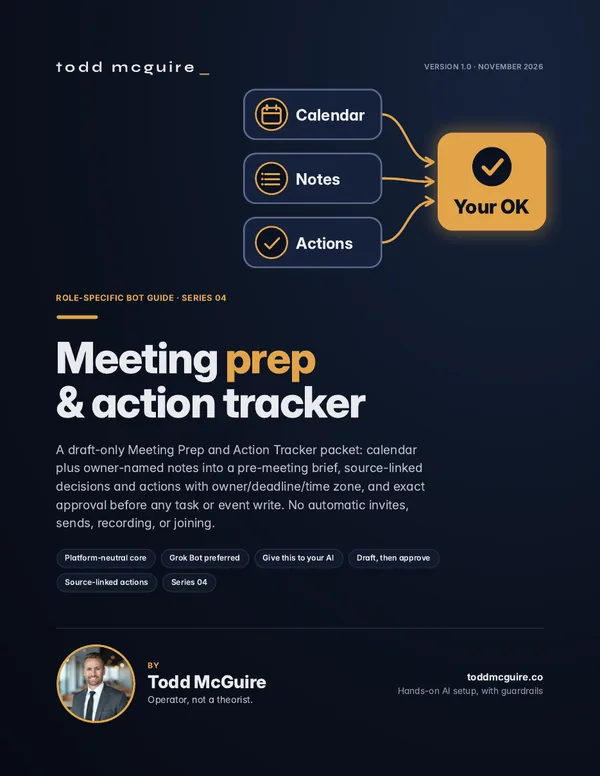
Set up an assistant that writes pre-meeting briefs from your calendar and notes, and keeps an action list based on sources after each meeting.
- Version 1.0
- PDF plus full text pack
- Platform-neutral core
- Grok Bot walkthrough
What’s in the package
A guide to read, and a pack to hand to your AI
PDF guide
The branded setup guide, for reading and for teaching the workflow to your team.
Full text pack
The copy-and-paste source: setup prompt, house rules template, owner worksheet, role instructions, practice tests and rollback steps.
Status check
Setup ends with a plain status report: each step marked Verified, Pending or Blocked.
What the assistant does
- Writes pre-meeting briefs from your calendar and notes
- Keeps a sourced action list after each meeting
- Writes follow-up drafts for your review
What you do
- Approve every invite and calendar change
- Decide on joining calls and recording
- Approve every follow-up send
An approval covers only the exact draft you saw. A changed draft or a retry needs a new OK.
How setup goes
Read-only first, then drafts you approve
- Fill in the owner worksheet with labels only. No passwords or secrets.
- Install the role instructions and house rules from the text pack.
- Connect only the accounts the role needs, with multi-factor sign-in.
- Let the assistant watch read-only before it drafts real work.
- Run the practice tests in the pack. Nothing real gets sent.
- Start real work as drafts only. You review and press Send.
- Add scheduled routines later, only after you OK the exact time and prompt.
Important limits: educational guidance only, not legal, compliance or security advice. No guaranteed results. You need your own AI assistant subscription, plus the accounts the guide connects. Those are not included.
Want all seven? The collection has every role guide in one purchase for $199. You get the Version 1.0 editions included at purchase.
Get the collectionOther role guides: Virtual EA · Sales Prospecting · Chief of Staff · Document Intake Checklist · Second Brain / AI Knowledge Base · Writing Voice & Brand Kit
← All guides